


 |
Start of Tutorial > Start of Trail > Start of Lesson | Lesson Contents |

|
Trail: Security in JDK 1.2 |
|
Lesson: Quick Tour of Controlling Applications |
|
Help
on searching
Search technology |
Grant the Required Permissions
To grant theGetProps application permission to
read the "user.home" and "java.home"
property values, you must create a policy entry granting those permissions.
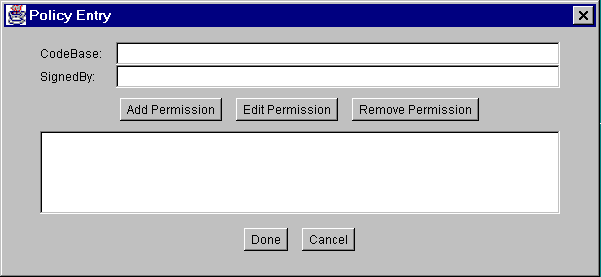
Choose the Add Policy Entry button
in the main Policy Tool window.
This brings up the Policy Entry dialog box,
as shown in the following figure.
This figure has been reduced to fit on the page.
Click the image to view it at its natural size.
Type the following file URL
into the CodeBase text box to indicate that you are going to be granting a
permission to code from the specified directory, which is the directory in which
GetProps.class is stored.
(Note, this is a URL and thus must always have slashes, not backslashes.)file:/C:/Test/
Leave the SignedBy text box blank, since you aren't requiring the code to be signed.
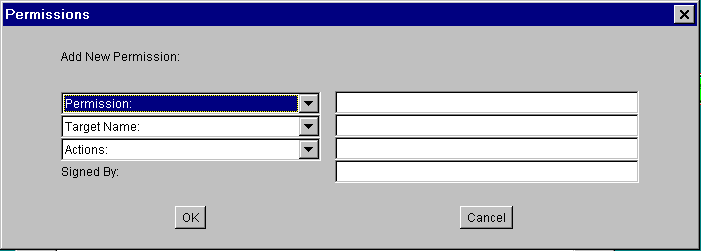
To add permission to read the "user.home" property value,
choose the Add Permission button.
This brings up the Permissions dialog box.
This figure has been reduced to fit on the page.
Click the image to view it at its natural size.
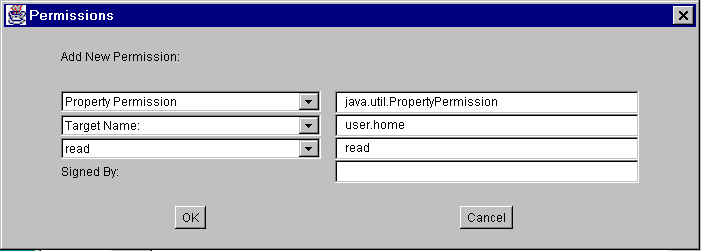
- Choose Property Permission from the Permission drop-down list. The
complete permission type name (
java.util.PropertyPermission) now appears in the text box to the right of the drop-down list. - Type the following in the text box to the right of the list labeled
Target Name to specify the
"user.home"property:user.home
- Specify permission to read this property by selecting the read option from the Actions drop-down list.
This figure has been reduced to fit on the page.
Click the image to view it at its natural size.
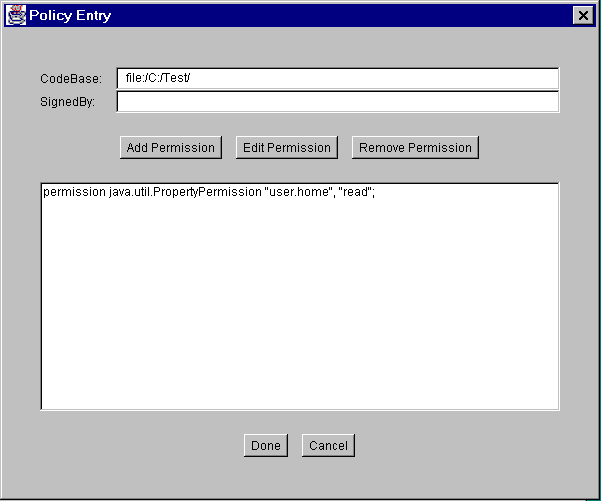
Choose the OK button. The new permission appears in a line in the policy entry window.
This figure has been reduced to fit on the page.
Click the image to view it at its natural size.
To add permission to read the "java.home" property value,
choose the Add Permission button again.
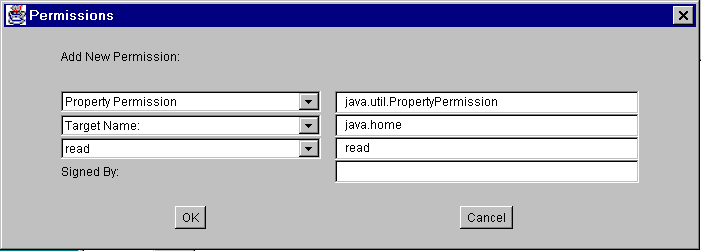
In the Permissions dialog box, do the following:
- Choose Property Permission from the Permission drop-down list.
- Type the following in the text box to the right of the list labeled
Target Name to specify the
"java.home"property:java.home
- Specify permission to read this property by choosing the read option from the Actions drop-down list.
This figure has been reduced to fit on the page.
Click the image to view it at its natural size.
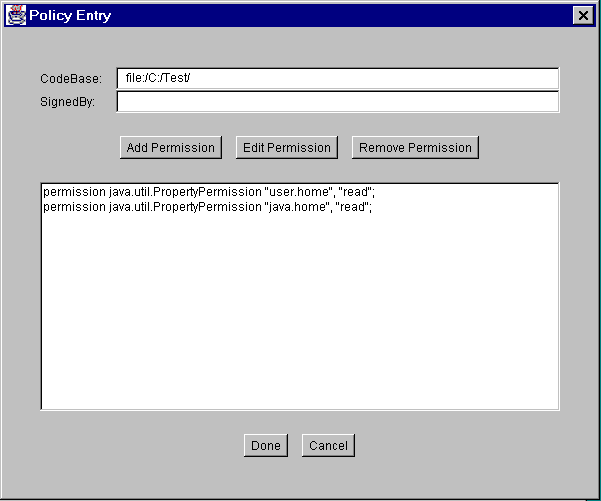
Choose the OK button. The new permission and the previously added permission appear in lines in the policy entry window, as shown in the following figure.
This figure has been reduced to fit on the page.
Click the image to view it at its natural size.
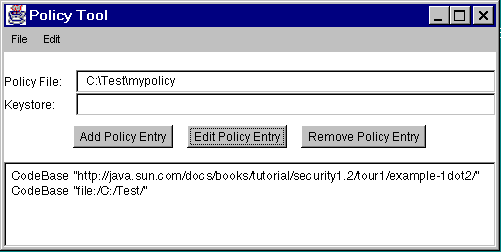
You are now done specifying this policy entry, so choose the Done button in the Policy Entry dialog. The Policy Tool window now includes a line representing the new policy entry, showing the CodeBase value.
This figure has been reduced to fit on the page.
Click the image to view it at its natural size.
|
|
Start of Tutorial > Start of Trail > Start of Lesson | Lesson Contents |