


 |
Start of Tutorial > Start of Trail > Start of Lesson | Lesson Contents |

|
Trail: Creating a GUI with JFC/Swing |
|
Lesson: Writing Event Listeners |
|
Help
on searching
Search technology |
Some Simple Event-Handling Examples
Here is a bare-bones applet that illustrates event handling. It contains a single button that beeps when you click it.
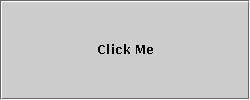
This is a picture of the applet's GUI. To run the applet, click the picture. The applet will appear in a new browser window.
You can find the entire program in
Beeper.java.
Here's the code that implements the event handling
for the button:
public class Beeper ... implements ActionListener {
    ...
    //where initialization occurs:
        button.addActionListener(this);
    ...
    public void actionPerformed(ActionEvent e) {
        ...//Make a beep sound...
    }
}
Beeper class implements the
ActionListener interface,
which contains one method:
actionPerformed.
Since Beeper implements ActionListener,
a Beeper object can register as a listener
for the action events that buttons fire.
Once the Beeper
has been registered
using the Button addActionListener method,
the Beeper's
actionPerformed method
is called every time
the button is clicked.
A More Complex Example
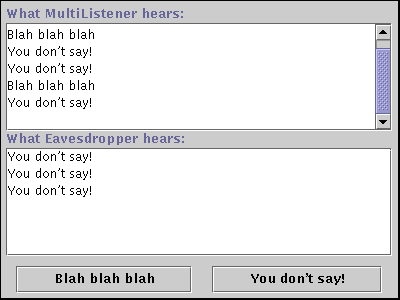
The event model, which you saw at its simplest in the above example, is quite powerful and flexible. Any number of event listener objects can listen for all kinds of events from any number of event source objects. For example, a program might create one listener per event source. Or a program might have a single listener for all events from all sources. A program can even have more than one listener for a single kind of event from a single event source.The following applet gives an example of using multiple listeners per object. The applet contains two event sources (
JButtoninstances) and two event listeners. One of the event listeners (an instance of a class calledMultiListener) listens for events from both buttons. When it receives an event, it adds the event's "action command" (the text on the button's label) to the top text area. The second event listener (an instance of a class calledEavesdropper) listens for events on only one of the buttons. When it receives an event, it adds the action command to the bottom text area.
This is a picture of the applet's GUI. To run the applet, click the picture. The applet will appear in a new browser window.You can find the entire program in
MultiListener.java. Here's the code that implements the event handling for the button:In the above code, bothpublic class MultiListener ... implements ActionListener { ... //where initialization occurs: button1.addActionListener(this); button2.addActionListener(this); button2.addActionListener(new Eavesdropper(bottomTextArea)); } public void actionPerformed(ActionEvent e) { topTextArea.append(e.getActionCommand() + newline); } } class Eavesdropper implements ActionListener { ... public void actionPerformed(ActionEvent e) { myTextArea.append(e.getActionCommand() + newline); } }MultiListenerandEavesdropperimplement theActionListenerinterface and register as action listeners using theJButtonaddActionListenermethod. Both classes' implementations of theactionPerformedmethod are similar: they simply add the event's action command to a text area.
An Example of Handling Another Event Type
So far, the only kind of event you've seen has been action events. Let's take a look at a program that handles another kind of event: mouse events.The following applet displays a rectangle-edged area and a text area. Whenever a mouse event -- a click, press, release, enter, or exit -- occurs on either the rectangle-edged area (
BlankAreaMouseEventDemo), the text area displays a string describing the event.
This is a picture of the applet's GUI. To run the applet, click the picture. The applet will appear in a new browser window.You can find the entire program in
MouseEventDemo.javaandBlankArea.java. Here's the code that implements the event handling:You'll see the code explained in How to Write a Mouse Listener, later in this section.public class MouseEventDemo ... implements MouseListener { ... //where initialization occurs: //Register for mouse events on blankArea and applet blankArea.addMouseListener(this); addMouseListener(this); } public void mousePressed(MouseEvent e) { saySomething("Mouse pressed; # of clicks: " + e.getClickCount(), e); } public void mouseReleased(MouseEvent e) { saySomething("Mouse released; # of clicks: " + e.getClickCount(), e); } public void mouseEntered(MouseEvent e) { saySomething("Mouse entered", e); } public void mouseExited(MouseEvent e) { saySomething("Mouse exited", e); } public void mouseClicked(MouseEvent e) { saySomething("Mouse clicked (# of clicks: " + e.getClickCount() + ")", e); } void saySomething(String eventDescription, MouseEvent e) { textArea.append(eventDescription + " detected on " + e.getComponent().getClass().getName() + "." + newline); } }

|
|
Start of Tutorial > Start of Trail > Start of Lesson | Lesson Contents |