


 |
Start of Tutorial > Start of Trail > Start of Lesson | Lesson Contents |

|
Trail: Security in JDK 1.2 |
|
Lesson: Signing Code and Granting It Permissions |
|
Help
on searching
Search technology |
Start Policy Tool
To start Policy Tool, simply type the following at the command line:policytool
This brings up the Policy Tool window. Whenever Policy Tool
is started, it tries to
fill in this window with policy information from what is sometimes referred to
as the "user policy file," which by default is a
file named .java.policy in your
home directory. If Policy Tool cannot find the user policy file, it reports
the situation and displays a blank Policy Tool window
(that is, a window with headings and buttons but no data in it, as
shown in the following figure.
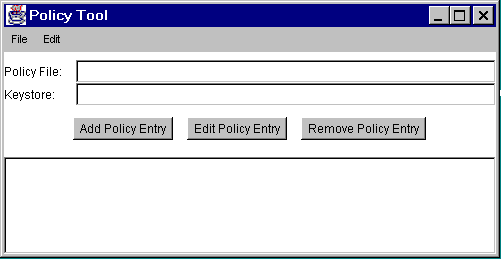
This figure has been reduced to fit on the page.
Click the image to view it at its natural size.
You will create and work on a policy file other than the user policy file, since the lessons of this trail don't expect modifications to be made to your official user policy file.
Assuming that you see the blank Policy Tool window (if not, select New in the File menu), you can immediately proceed to create a new policy file.
|
|
Start of Tutorial > Start of Trail > Start of Lesson | Lesson Contents |