


 |
Start of Tutorial > Start of Trail > Start of Lesson | Lesson Contents |

|
Trail: Security in JDK 1.2 |
|
Lesson: Signing Code and Granting It Permissions |
|
Help
on searching
Search technology |
Specify the Keystore
For this lesson you will grant all code in JAR files signed by the alias susan read access to all files in theC:\TestData\ directory.
You need to
- Specify the keystore containing the certificate information
aliased by susan
- Create the policy entry granting the permission
The keystore is the one named raystore created in
the Import the Certificate as a Trusted Certificate
step.
To specify the keystore, choose the Change Keystore command in the Edit menu of the main Policy Tool window. This brings up a dialog box in which you can specify the keystore URL and the keystore type.
To specify the keystore named raystore in the
Test directory on the C: drive, type the following
file URL into the text box labeled New KeyStore URL
You can leave the text box labeled New KeyStore Type blank if the keystore type is the default one, as specified in the security properties file. Your keystore will be the default type, so leave the text box blank. The result is shown in the following figure.file:/C:/Test/raystore
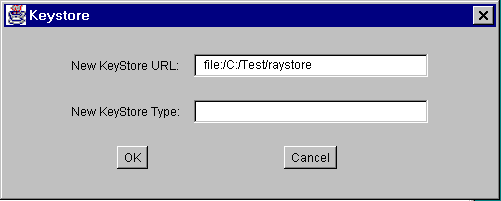
This figure has been reduced to fit on the page.
Click the image to view it at its natural size.
Note: The New KeyStore URL value is a URL and thus should always use slashes (never backslashes) as the directory separator.
When you are done specifying the keystore URL, choose OK. The text box labeled Keystore is now filled in with the URL:
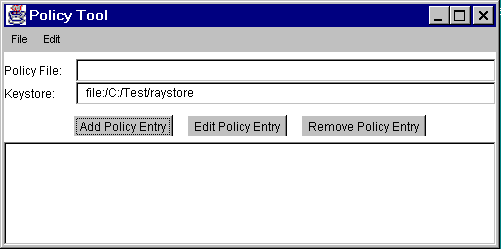
This figure has been reduced to fit on the page.
Click the image to view it at its natural size.
Next, you need to specify the new policy entry.
|
|
Start of Tutorial > Start of Trail > Start of Lesson | Lesson Contents |