


 |
Start of Tutorial > Start of Trail > Start of Lesson | Lesson Contents |

|
Trail: Security in JDK 1.2 |
|
Lesson: Quick Tour of Controlling Applets |
|
Help
on searching
Search technology |
Save the Policy File
To save the new policy file you've been creating, choose the Save As command from the File menu. This brings up the Save As dialog box.
The examples in this lesson and in the
Quick Tour of Controlling Applications lesson assume that you stored the policy file in the
Test directory on the C: drive.
Navigate the directory structure to get to that directory. Then type the
file name mypolicy
and choose the Save button. The policy file is
now saved, and its name and path are shown in the text box labeled
Policy File.
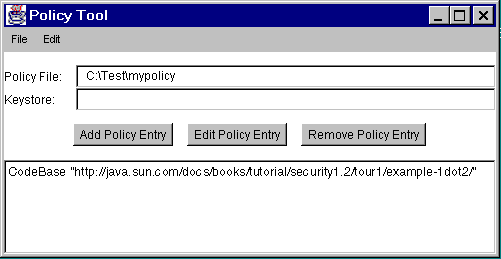
This figure has been reduced to fit on the page.
Click the image to view it at its natural size.
Exit Policy Tool by choosing the Exit command from the File menu.
|
|
Start of Tutorial > Start of Trail > Start of Lesson | Lesson Contents |