


 |
Start of Tutorial > Start of Trail > Start of Lesson | Lesson Contents |

|
Trail: Security in JDK 1.2 |
|
Lesson: Quick Tour of Controlling Applications |
|
Help
on searching
Search technology |
Set Up the Policy File to Grant the Required Permissions
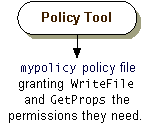
You will now use the Policy Tool to open the policy file namedmypolicy created in the
Quick Tour of Controlling Applets lesson. You will add a new policy entry
granting permission for code from the
directory where
GetProps.class is stored
to read the "user.home" and the
"java.home" property values,
as shown in the following figure.
The steps are as follows.
Note for UNIX Users: The instructions illustrate creating the policy file for a Windows system. The steps are exactly the same if you are working on a UNIX system, with the following differences.
- You retrieve the
mypolicyfile from thetestdirectory in your home directory.
- For the CodeBase URL in the step for granting the required permissions, you can substitute
file:${user.home}/test/forfile:/C:/Test/. Alternatively you could directly specify your home directory rather than referring to the"user.home"property, as infile:/home/susanj/test/.
|
|
Start of Tutorial > Start of Trail > Start of Lesson | Lesson Contents |